
Setup packages
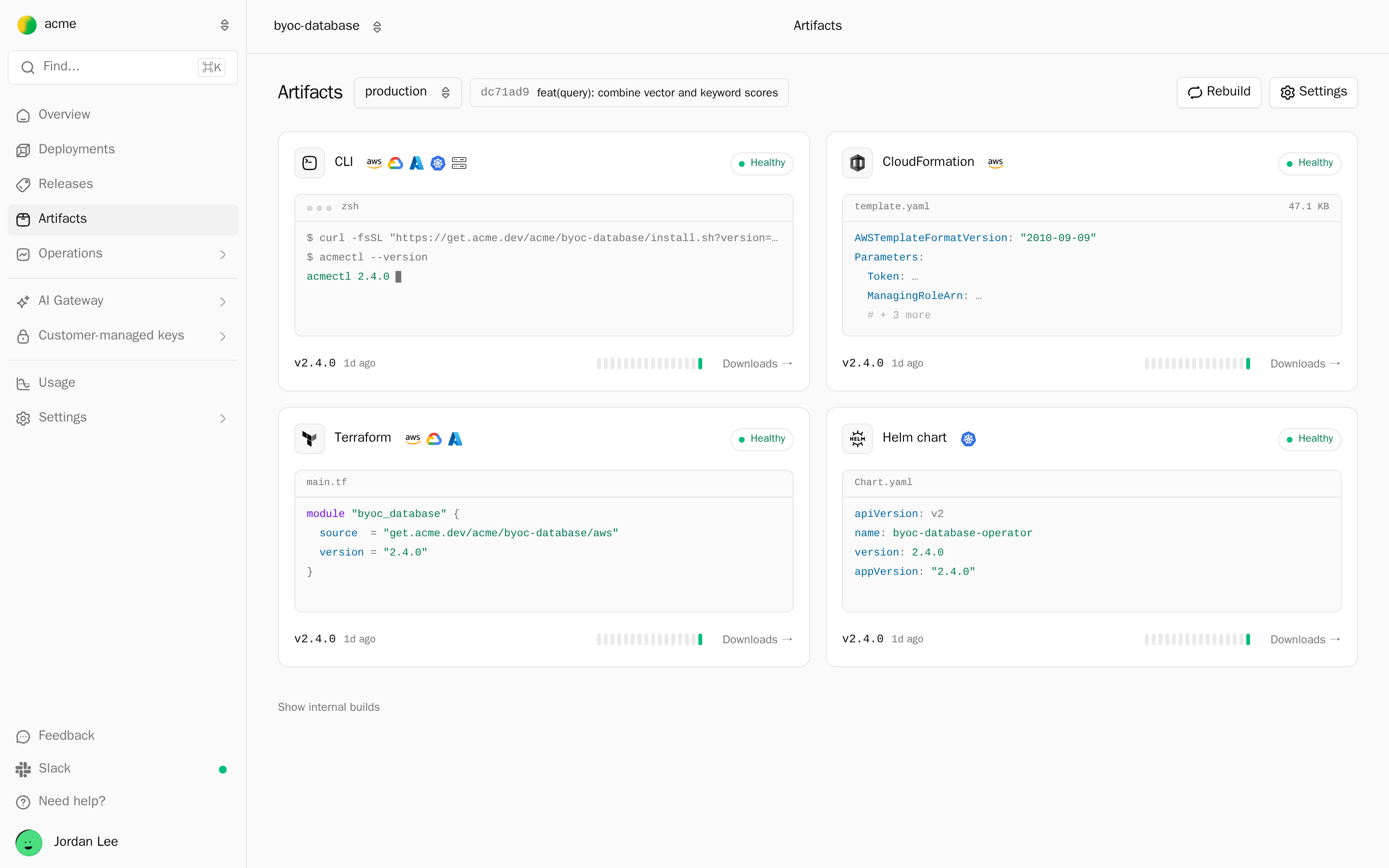
A setup package is what your customer's admin runs for the initial setup, the one-time step in their environment with their own credentials. Alien builds the packages from each release in formats admins already know: a CloudFormation template, Terraform modules, a Helm chart, and a CLI. You write none of them.
Each package:
- Creates the deployment's management identity, the scoped identity Alien uses for ongoing management afterwards, such as an IAM role on AWS.
- Creates its frozen resources, the ones only initial setup may create or change, and one identity per permission profile.
- Registers the deployment with Alien.
The admin doesn't pick a package by name. The deployment portal, the branded setup page Alien hosts for them, hands out the one that matches the Install method they choose. With your own setup screen (Deployment UX), your product hands it out instead.
| Package | Built when the release targets | Install method in the portal |
|---|---|---|
| CloudFormation template | AWS | CloudFormation (AWS, and a new EKS cluster) |
| Terraform modules | AWS, Google Cloud, or Azure; or Kubernetes with infrastructure the customer supplies | Terraform |
| Helm chart and Operator image | Kubernetes | Helm, and the chart step of a new cluster |
| CLI | Any platform | CLI, and the Linux servers join command |
Google login needs no package. The admin signs in with Google in the portal, and Alien runs initial setup with that token once.
The Helm chart works differently: it installs the Operator, a service in the cluster that pulls each release over outbound HTTPS, instead of a management identity. See Kubernetes.
To see what an admin will launch before you send any link, render the CloudFormation template on your machine. See Preview a package.
alien render --format cloudformation --stack .alien/build/aws/stack.json > template.yamlWhen packages are built
Alien builds packages on its own. A new set is built when:
- A release is promoted to a channel, which
alien releasedoes forproduction. - A channel moves to another release.
- You change the packages settings.
- Alien ships a new version of the generators.
- You click Rebuild.
A build is skipped when nothing that affects it changed. Building takes a few minutes.
Until a method's package is ready, the portal doesn't offer it. A link created meanwhile still works: the portal shows Building deployment packages and continues when one method is ready.
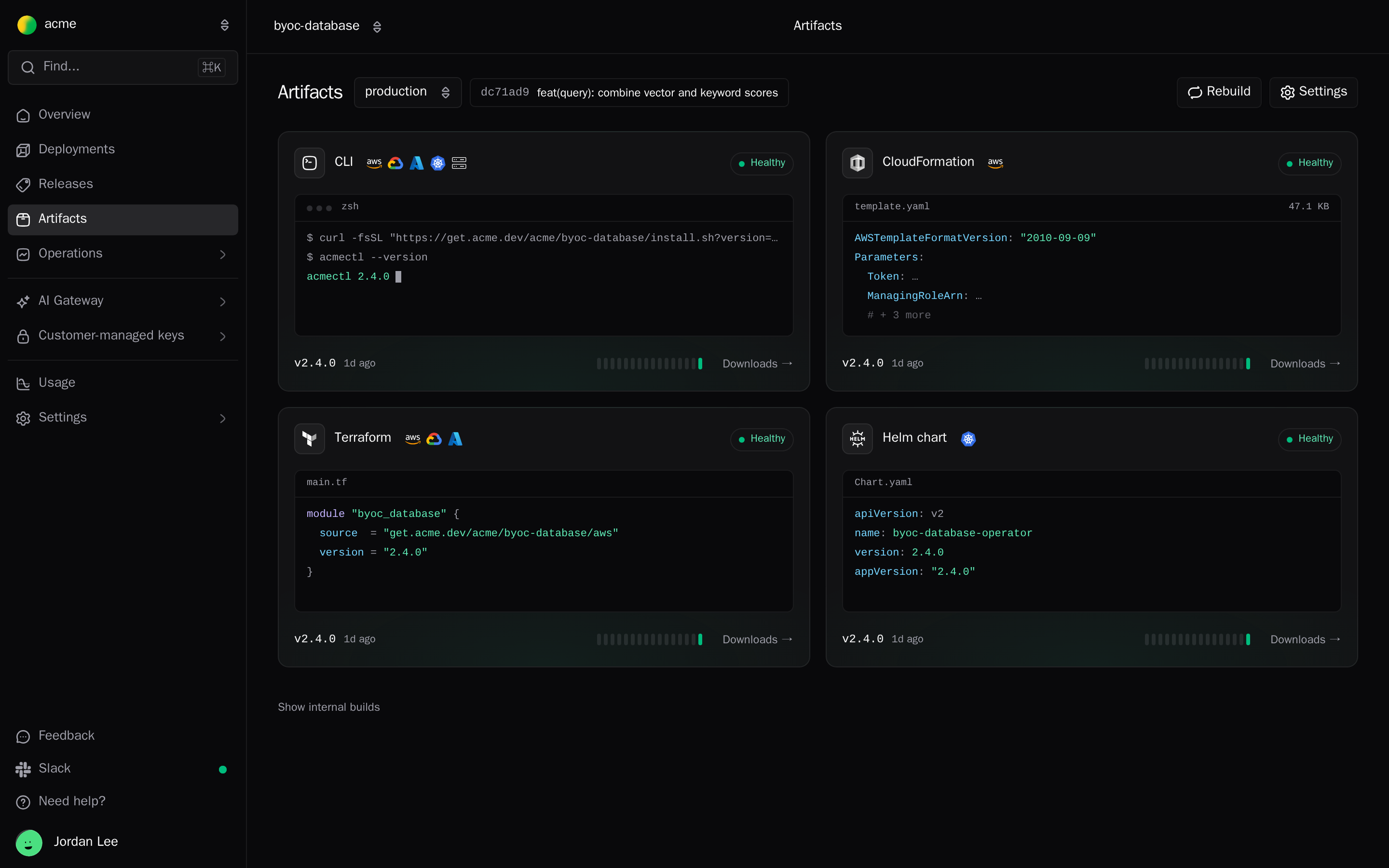
To see the packages in the dashboard, open Artifacts in the sidebar. Each card shows the package's version and health: Healthy, Building, Queued, Failed, or Not built. Pick a release channel at the top; Rebuild builds every package again for the production channel's release.
From the CLI:
alien packages ls
alien packages get <package-id>
alien packages rebuild
alien packages cancel <package-id>
alien packages download <package-id> -o ./packages
rebuild builds every package again and cancels the ones still pending or building. rebuild and cancel ask for confirmation; pass --yes in scripts.
Over the API, list packages and rebuild them:
curl "https://api.alien.dev/v1/packages?project=docproc" \
  -H "Authorization: Bearer $ALIEN_API_KEY"

curl -X POST "https://api.alien.dev/v1/packages/rebuild" \
  -H "Authorization: Bearer $ALIEN_API_KEY" \
  -H "Content-Type: application/json" \
  -d '{"project": "docproc"}'
The TypeScript client has alien.packages.list, get, rebuild, and cancel.
Versions
Each package type has its own version sequence: 1.0.0, 1.0.1, and so on, one step per build. A package version is not your release version. Each package records the release it was built from.
Old versions stay available, so a Terraform lock file or a pinned CLI keeps working.
The portal always hands out the package built for the release the deployment is set up with. When the admin reruns initial setup, it hands out the package for the new release.
Where they are hosted
Packages are served from pkg.alien.dev, or from pkg.<your domain> once you set a custom domain. Downloads need no credentials: the setup token, not the package, authorizes initial setup.
| Package | Where |
|---|---|
| CLI | https://pkg.<domain>/<workspace>/<project>/install.sh (and install.ps1), with ?version= |
| Terraform | A Terraform registry at pkg.<domain>: module source pkg.<domain>/<workspace>/<project>/<target> |
| Helm | An OCI chart. The portal shows the chart reference. |
| CloudFormation | An S3 URL, because CloudFormation only launches templates from S3 |
Customize the packages
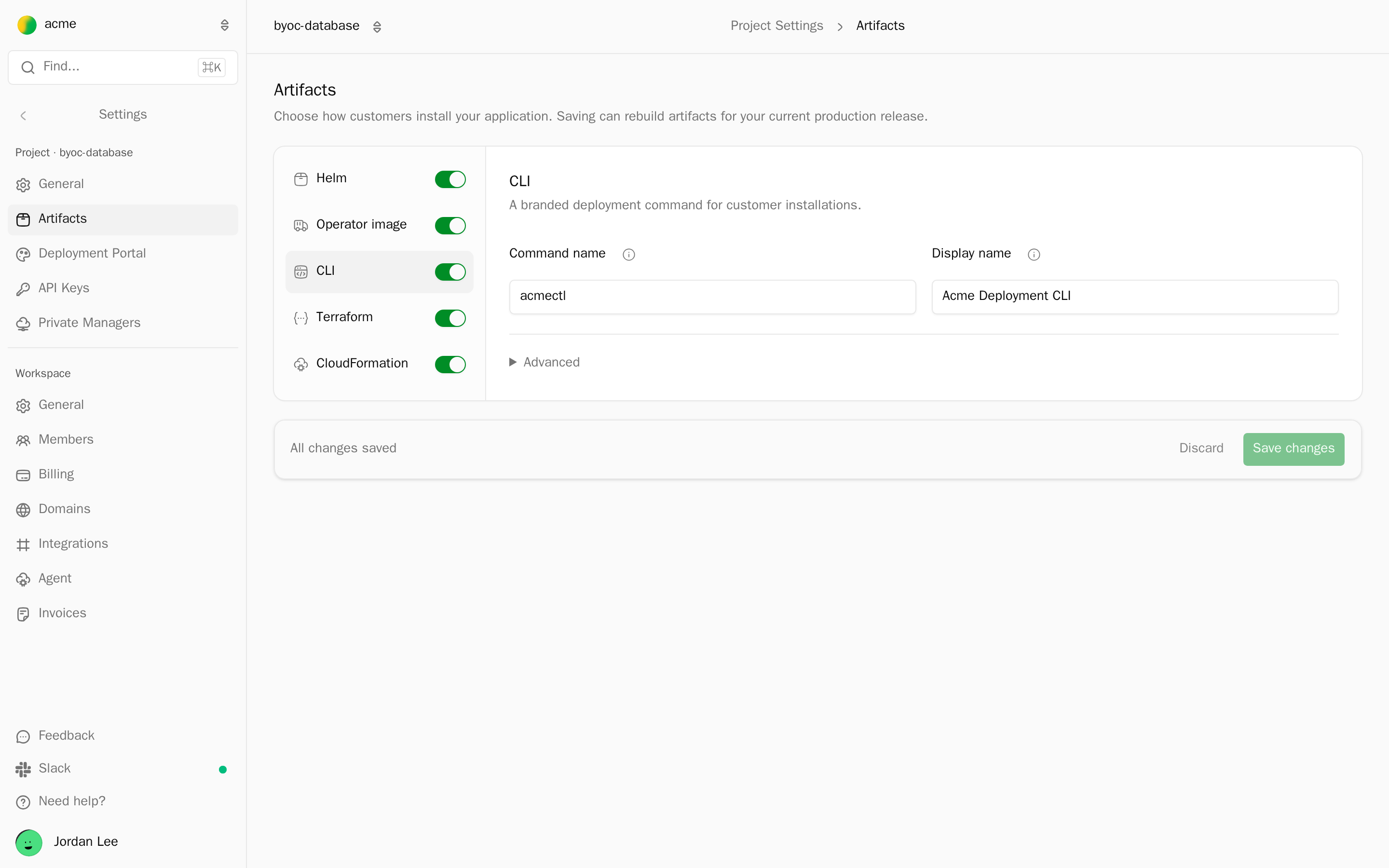
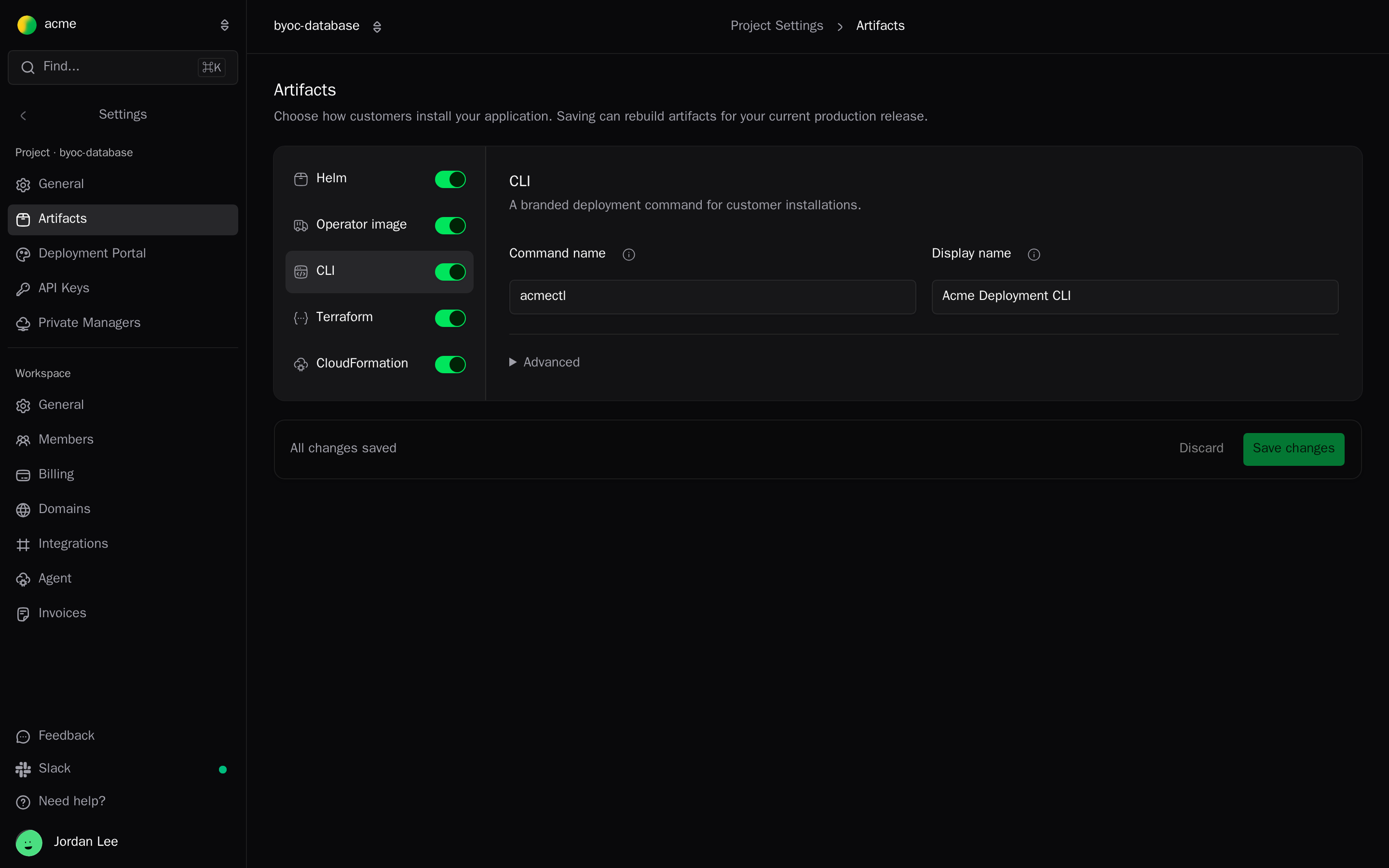
In the dashboard, open project Settings → Artifacts. Turn each package on or off, and set:
| Package | Settings |
|---|---|
| CLI | Command name (for example acmectl), Display name, and under Advanced the Platforms to build: macOS Apple silicon, Linux x64, Linux ARM64, Windows x64 |
| Helm | Chart name, Description, Collect logs (the default for new deployments), Default collection mode (Pod API or Node agent), Runtime storage capacity |
| Operator image | Image name, Display name, and under Advanced a Resource prefix, Environment prefix, and Kubernetes label prefix |
| Terraform | Display name |
| CloudFormation | Display name, Require AWS External ID |
Helm needs the Operator image, so they turn on and off together. Click Save changes. Saving rebuilds the packages for the current production release.
From the CLI, read the current settings:
alien projects packages get --json > packages.jsonEdit the JSON, then send back only what changes:
cat > patch.json <<'EOF'
{
  "cli": { "enabled": true, "name": "acmectl", "displayName": "Acme Deployment CLI" },
  "helm": { "logCollector": { "enabled": true, "mode": "podApi" } }
}
EOF
alien projects packages update --file patch.json
Fields you leave out keep their values. Set a section to null to stop building that package.
Over the API, send the same patch as packagesConfigPatch:
curl -X PATCH "https://api.alien.dev/v1/projects/docproc" \
  -H "Authorization: Bearer $ALIEN_API_KEY" \
  -H "Content-Type: application/json" \
  -d '{"packagesConfigPatch": {"cli": {"enabled": true, "name": "acmectl", "displayName": "Acme Deployment CLI"}}}'
New projects build every package. The default CLI name is your project name plus ctl (docproc becomes docprocctl, doc-proc becomes doc-proc-ctl), and the default chart name is <project>-operator.
The Helm section also takes setupResources, available only through the CLI and the API.
It makes the chart create a Secret with a random token (tokenSecret) and grant a permission profile cluster-wide read-only access to a fixed list of Kubernetes resources through a ClusterRole (workloadReadAccess). See Build a Kubernetes agent for every rule.
CloudFormation
The template creates the management role, the frozen resources, and the workload roles.
It takes the deployment's settings as parameters: network mode, endpoint access, sizes, and the ExternalId. The portal fills them in. See AWS.
The stack is launched with the deployment token of a deployment Alien created first. It registers that deployment when it finishes, and uses the same token for updates and deletion. See Link lifetime.
Terraform
There is a module per target: aws, gcp, azure, and eks, gke, aks for Kubernetes on a managed cluster. A provider from the same registry registers the deployment. The portal generates the admin's main.tf; abbreviated, it looks like this:
variable "token" {
  type      = string
  sensitive = true
}

# The portal also pins the registration provider in a terraform { required_providers } block.

module "deployment" {
  source  = "pkg.alien.dev/acme/docproc/aws"
  version = "1.0.4"

  name           = "customer-1"
  token          = var.token
  management_url = "<from the portal>"
  aws_region     = "us-east-1"
  # The portal fills in the management role and the deployment's settings.
}

output "deployment_id" {
  value = module.deployment.deployment_id
}
token and management_url have no defaults; the portal's snippet supplies both. terraform plan stops on a management_url that isn't an http(s):// URL.
name defaults to a slug of the application's display name, or of the stack ID, and must be a valid deployment name: 2 to 100 lowercase letters and digits in hyphen-joined groups, not starting with ag-.
terraform plan lists every resource before the admin applies it. The modules need Terraform 1.5 or later (1.9 for EKS) and only the providers that target uses.
Helm
The chart runs the Operator, which registers the deployment and then pulls each release. The chart version equals the package version, and the Operator image is pinned by digest. Values are described on Kubernetes.
CLI
The CLI is alien-deploy under your Command name. Its help text uses your Display name. Install it with:
curl -fsSL "https://pkg.alien.dev/acme/docproc/install.sh" | bashOn Windows: irm "https://pkg.alien.dev/acme/docproc/install.ps1" | iex.
The script checks the binary's SHA-256 and installs to /usr/local/bin when writable, else ~/.local/bin.
| Command | What it does |
|---|---|
acmectl deploy | Set up a deployment, or rerun initial setup with --setup-update |
acmectl status --name <name> | Show a deployment's status |
acmectl list | List the deployments the token can see |
acmectl destroy | Remove a deployment and what initial setup created |
acmectl join, acmectl leave | Add or remove a Linux host. See Linux servers. |
acmectl sync, acmectl rollback | Air-gapped updates. See Air-gapped. |
The token comes from --token, --token-file, or the ACMECTL_DEPLOYMENT_TOKEN environment variable (your command name in capitals, plus _DEPLOYMENT_TOKEN). See alien-deploy for every flag.
Preview a package
alien render generates a template, module, or chart from your stack on your machine, so you or the customer's security team can review it:
alien render --format cloudformation --stack .alien/build/aws/stack.json --output review/
alien render --format terraform --target gcp --stack .alien/build/gcp/stack.json --output review/gcp
alien render --format helm --stack .alien/build/kubernetes/stack.json --output review/helm| Flag | Values |
|---|---|
--format | cloudformation, terraform, helm |
--target | aws, gcp, azure, eks, gke, aks. Required for Terraform. |
--stack | alien.ts, alien.js, a .json stack, or a directory with one of them |
--output | A directory. Without it, the result goes to stdout. |
--check-quotas | Check AWS quotas with the credentials in your environment. CloudFormation, or Terraform with --target aws. |
--json | CloudFormation as JSON instead of YAML |
The rendered files show the same resources and permissions as the hosted packages, but they are not byte-for-byte the same: the hosted Terraform module adds the registration provider, and the hosted chart uses your chart name.
Next
- Deployment portal: which package the portal hands the admin
- Brand the portal: your domain and names on every package
- AWS, Google Cloud, Azure, Kubernetes
Single-tenant in your cloud
A deployment dedicated to one customer in your own cloud account: how to create it, infrastructure changes without rerunning initial setup, and a customer-managed key on AWS.
Push, pull, and air-gapped
How releases and commands reach a deployment after initial setup: push through a scoped cloud identity, pull through an outbound Operator, or air-gapped.