
Azure
An Azure deployment runs your stack in one resource group of your customer's Azure subscription: its Container Apps, VMs, storage accounts, and databases live there, inside the customer's boundary. The customer's admin sets it up once, and Alien rolls out every release after that, with no client secrets anywhere.
Architecture diagram. Left: Your side containing Alien manager, OIDC issuer. Right: customer-1's Azure subscription containing Resource group containing Managed identity; Deployment, Workload identities, Frozen and live resources.
A deployment's life has two parts:
- Initial setup: the one-time step the admin runs with their own Azure credentials, using Terraform or the CLI.
- Ongoing management: everything after. Alien's manager, the service that holds your releases and deployments, rolls out each release without the admin.
Initial setup creates the deployment's management identity: here, a user-assigned managed identity the manager signs in as through a federated credential. It can assign only limited roles, so it can't grant itself or anyone else broader access (Role assignments).
Initial setup also creates the frozen resources: the ones only initial setup may create or change, such as the storage account that holds the customer's data. The manager creates and updates the rest, the live resources.
How the admin reaches initial setup is your Deployment UX choice: a link you send, a Deploy button in your product, or your own setup screen. What happens in Azure is the same either way, and this guide follows it from requirements to removal.
What the customer needs
- An Azure subscription.
- Permission to create resource groups, managed identities, custom role definitions, and role assignments in the subscription. Owner on the subscription is the usual choice. Initial setup also registers the resource providers the stack needs.
- Compute quota for the stack. Initial setup checks it first. See Quotas.
Set up
Each method runs a setup package, which Alien builds from your release. The deployment portal, the branded setup page Alien hosts for the admin, offers Terraform first, then the CLI.
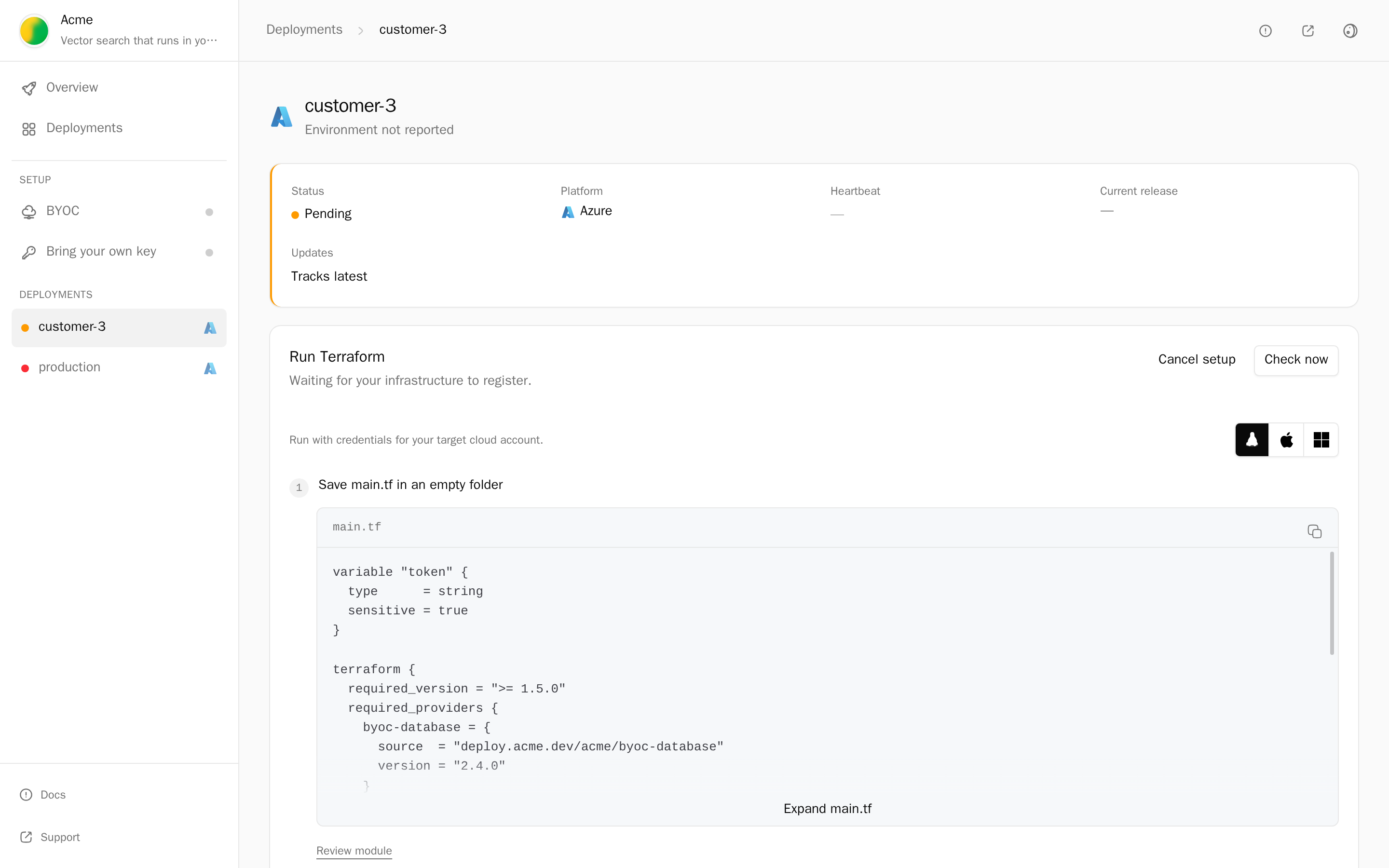
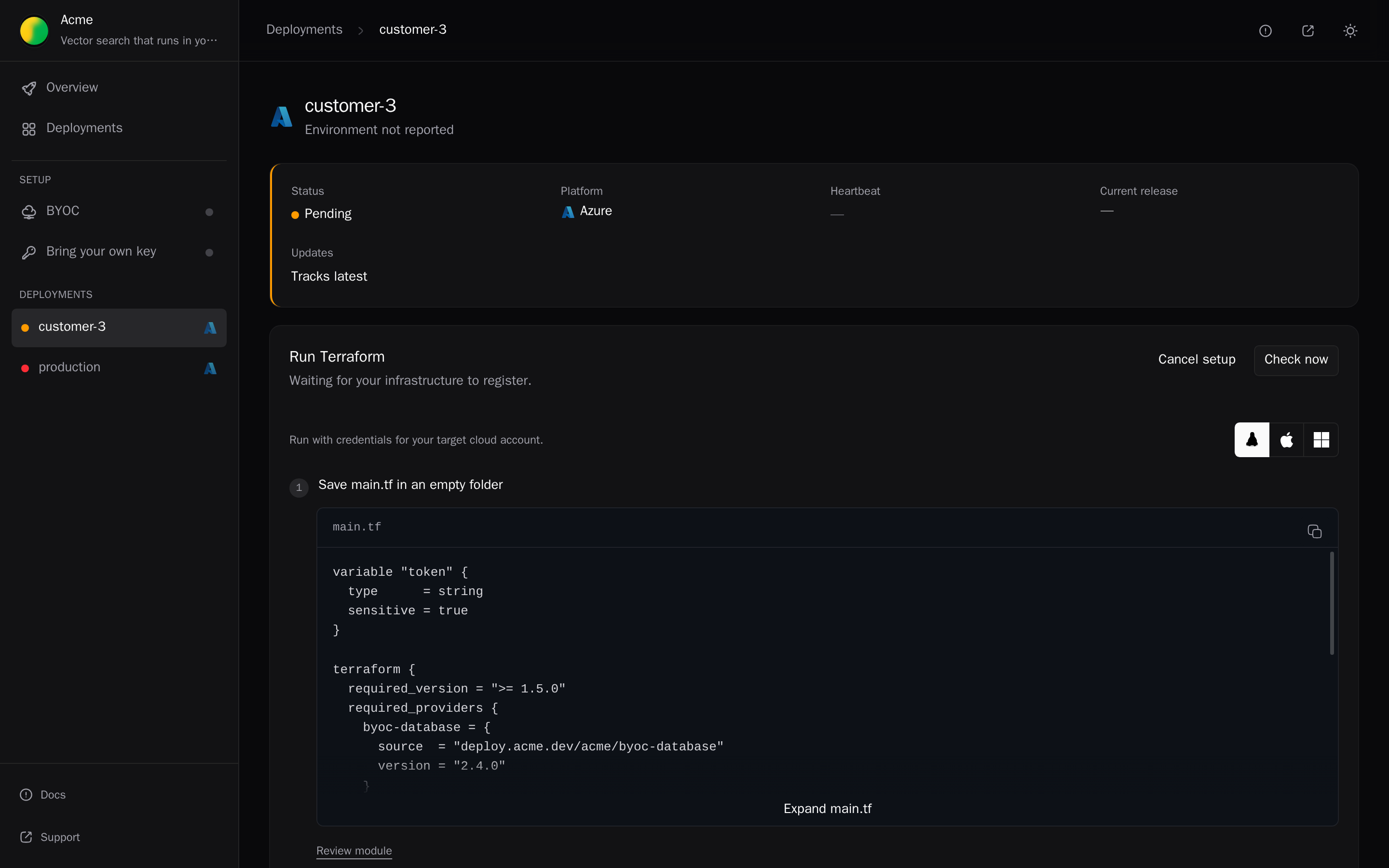
To create a setup link that offers only Azure:
alien onboard customer-1 --platforms azureTerraform
The admin clicks Prepare Terraform, saves the generated main.tf in an empty folder, and sets azure_subscription_id, azure_resource_group_name, and azure_location (default eastus). Then:
export TF_VAR_token='<setup token>'
terraform init && terraform apply
TF_VAR_token is the setup token, the credential from the setup link that authorizes this one initial setup. The module uses the admin's azurerm credentials.
CLI
The admin installs your CLI, saves the generated deployment.toml, and runs:
export ACMECTL_DEPLOYMENT_TOKEN='<setup token>'
acmectl deploy --config deployment.toml
The CLI uses Azure CLI or environment credentials.
Review the module first
To review the module with the customer's security team first:
alien render --format terraform --target azure --stack .alien/build/azure/stack.json --output azure-setupWhat the initial setup creates
- A resource group, named by the admin, that holds every resource of the deployment. Permissions are scoped to it, so other resource groups in the subscription are out of reach.
- A user-assigned managed identity with custom roles on that resource group.
- A federated credential on the identity, which trusts only Alien's manager.
- Custom roles for management and for each permission profile.
- Frozen resources, the resources only initial setup creates or changes, so Alien can't change them later, such as storage accounts or Key Vault keys.
The customer can revoke access by deleting the federated credential, the identity, or the resource group.
Role assignments
Deployments need role assignments at runtime, for example to give a worker access to a Service Bus queue. Initial setup keeps that ability narrow:
- Initial setup creates every custom role the deployment uses.
- The management identity can't create or edit role definitions.
- It can assign roles only under a condition that initial setup writes:
- Management roles go only to the management identity.
- Application roles go only to the deployment's own workload identities.
- It can't assign a built-in role such as Owner or Contributor, and it can't give itself an application role.
With automatic setup in your own subscription, Alien creates the workload identities after initial setup. Application roles can then go to any identity except the management identity. Role definitions stay pinned either way.
How updates arrive
Ongoing management on Azure uses push: Alien calls Azure APIs from outside the subscription, instead of a component inside it pulling releases. When a release reaches the deployment's release channel, the manager signs in as the managed identity and updates the live resources through Azure APIs. Nothing connects into the customer's network.
If a release declares a permission that needs a new role, or changes a frozen resource, the rollout waits for the admin to run initial setup again: they update the module version and reapply Terraform, or rerun the CLI. See Releases that need initial setup again.
To run pull in an Azure subscription, deploy into an AKS cluster instead. See Kubernetes.
Remove it
- Delete the deployment from your side: Delete deployment, or
alien deployments delete customer-1/customer-1. - Alien deletes the live resources, and the deployment shows Teardown required.
- The admin runs
terraform destroyin the setup folder with the sameTF_VAR_token, oracmectl destroy.
See Remove a deployment.
Quotas
Before it creates anything, initial setup checks the Azure compute quotas the stack needs, such as vCPUs per VM family in the region. A shortfall stops initial setup with the quota, current usage, and an increase link. See AWS quotas for how warning overrides work.
Regions
The portal offers every Azure location in Alien's catalog.
Next
Google Cloud
A deployment in a customer's Google Cloud project: what the admin needs, initial setup with Google login, Terraform, or the CLI, what it creates, updates, and removal.
Kubernetes
A deployment in a customer's Kubernetes cluster: what the admin needs, Helm or a new EKS, GKE, or AKS cluster, the Operator that pulls releases, tunnels, and removal.