
AWS
An AWS deployment runs your stack in your customer's AWS account: its Lambda functions, EC2 machines, buckets, and databases live there, inside the customer's boundary. The customer's admin sets it up once, and Alien rolls out every release after that.
Architecture diagram. Left: Your side containing Alien manager, Managing role. Right: customer-1's AWS account containing <stack>-management role; Deployment, Workload roles, Frozen: S3, KMS, Aurora, Live: Lambda, EC2, load balancers.
A deployment's life has two parts:
- Initial setup: the one-time step the admin runs with their own AWS credentials, using CloudFormation, Terraform, or the CLI.
- Ongoing management: everything after. Alien's manager, the service that holds your releases and deployments, rolls out each release without the admin.
Initial setup creates the management role, the IAM role the manager assumes to change the deployment. On other platforms this is called the management identity.
Initial setup also creates the frozen resources: the ones only initial setup may create or change, such as the bucket that holds the customer's data. The manager creates and updates the rest, the live resources.
How the admin reaches initial setup is your Deployment UX choice: a link you send, a Deploy button in your product, or your own setup screen. What happens in AWS is the same either way, and this guide follows it from requirements to removal.
What the customer needs
- An AWS account. A dedicated account for your software is the cleanest boundary, but any account works.
- Permission to create IAM roles and every resource type the stack sets up, because initial setup creates the management role, the workload roles, and the frozen resources. In practice, an administrator role in the target account.
- Service quotas for the stack. Initial setup checks them first. See Quotas.
- A supported region. See Regions.
The admin's credentials don't need permissions for what Alien creates later through the management role, such as EC2 machines, Auto Scaling groups, load balancers, and certificates.
Set up
Each method runs a setup package, which Alien builds from your release. The deployment portal, the branded setup page Alien hosts for the admin, offers CloudFormation first, then Terraform and the CLI.
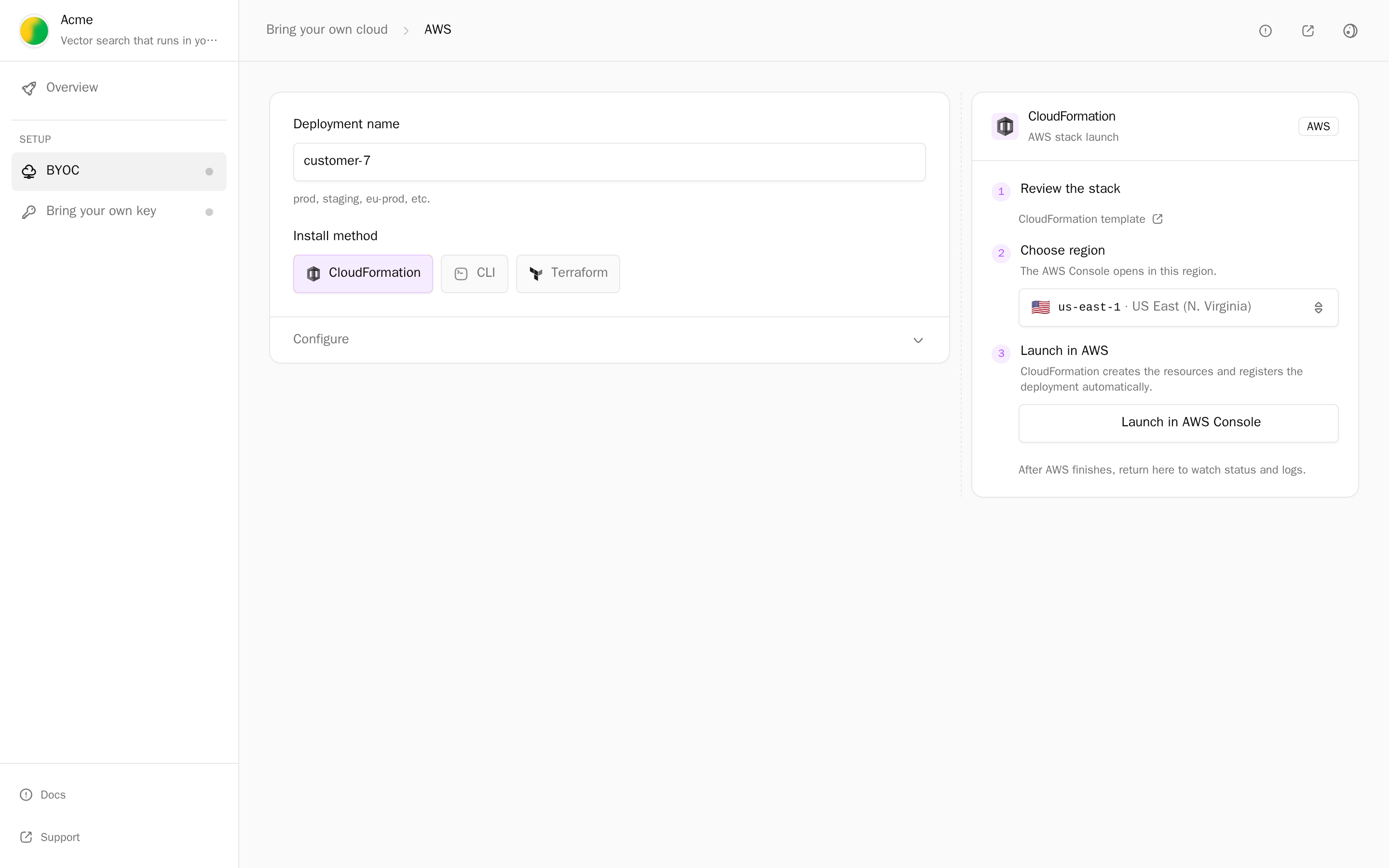
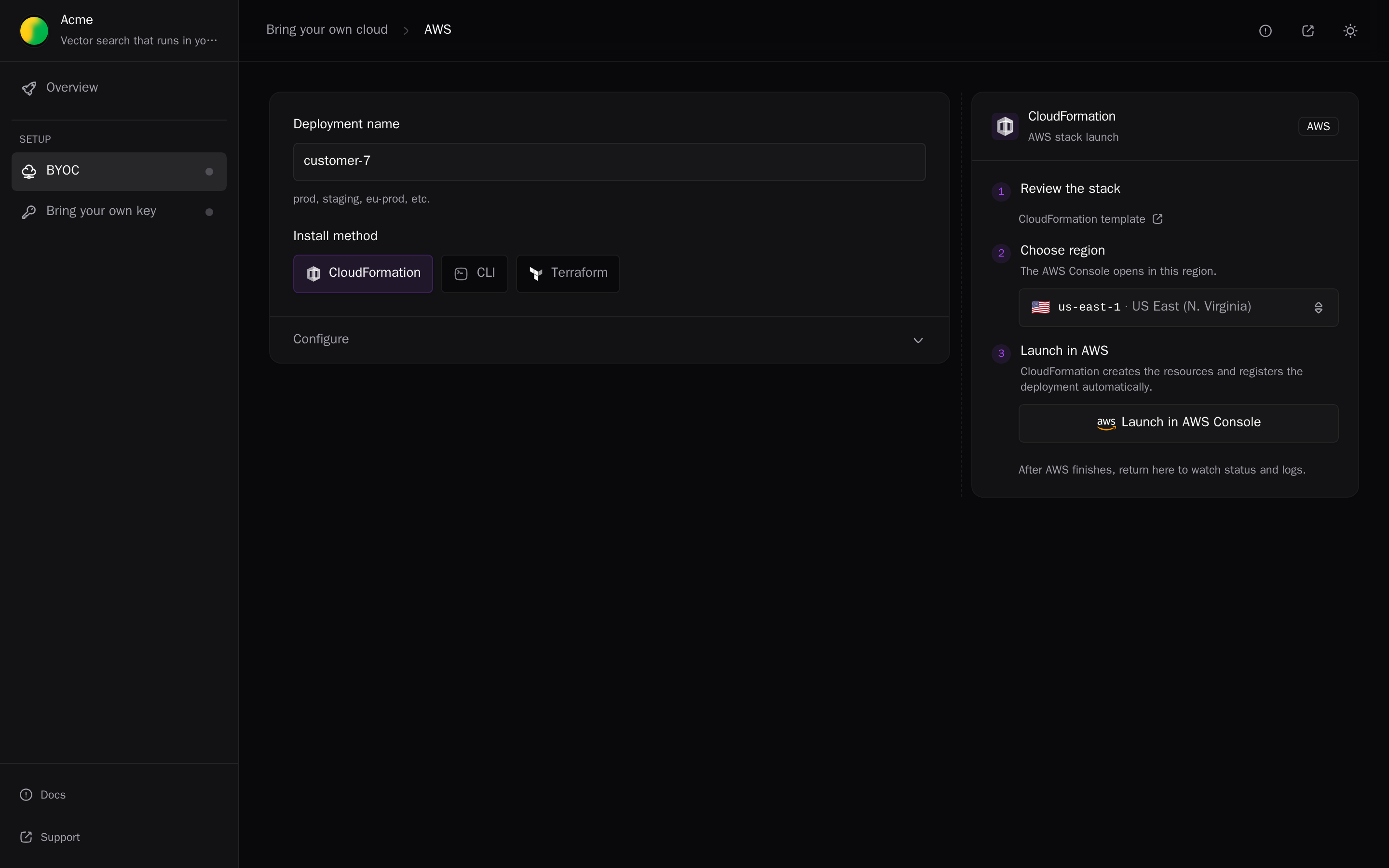
To create a setup link that offers only AWS:
alien onboard customer-1 --platforms awsCloudFormation
In the portal, the admin:
- Opens Review the stack to read the CloudFormation template.
- Picks a region under Choose region.
- Clicks Launch in AWS Console. CloudFormation's quick-create page opens with every parameter filled in.
- Acknowledges that CloudFormation creates IAM resources with custom names (
CAPABILITY_NAMED_IAM) and creates the stack.
The stack reports that it started as soon as CloudFormation begins (a DeploymentSetupStarted custom resource), and registers the deployment when it finishes. The portal shows the stack name and region with a View stack in AWS link.
Terraform
The admin clicks Prepare Terraform, saves the generated main.tf in an empty folder, and runs:
export TF_VAR_token='<setup token>'
export TF_VAR_management_external_id='<external id>'
terraform init && terraform apply
TF_VAR_token is the setup token, the credential from the setup link that authorizes this one initial setup. TF_VAR_management_external_id is the customer's ExternalId.
The module uses the admin's aws provider configuration. terraform plan lists every resource before it is created.
CLI
The admin installs your CLI, saves the generated deployment.toml, and runs:
export ACMECTL_DEPLOYMENT_TOKEN='<setup token>'
acmectl deploy --config deployment.toml
The CLI uses the standard AWS credential chain: environment variables, AWS_PROFILE, web identity, container credentials, or instance metadata. The region comes from AWS_REGION, AWS_DEFAULT_REGION, or the profile.
Review the template first
To review the template with the customer's security team before anyone runs it:
alien render --format cloudformation --stack .alien/build/aws/stack.json > template.yamlSee Setup packages.
What the initial setup creates
| Kind | What |
|---|---|
| Management role | <stack name>-management, which Alien's manager assumes. See Management role. |
| Workload roles | One IAM role per permission profile, and an instance profile for compute machines |
| Network | With NetworkMode create-new: a VPC, subnets, internet and NAT gateways, route tables, and security groups. With use-existing or use-default, initial setup uses an existing VPC. |
| Frozen resources | The resources only initial setup creates or changes, so Alien can't change them later. What the stack marks frozen, for example S3 buckets, KMS keys, or Aurora clusters |
After registration, the manager creates the live resources through the management role.
Management role
The management role has a trust policy and a permission policy:
- Trust policy. Only Alien's managing role, named by exact ARN, can assume it. With an ExternalId set, every
sts:AssumeRolecall must also send that value. - Permission policy. It allows the actions needed to create and update the stack's live resources, scoped to the deployment's resource name prefix. On frozen resources it gets only narrower management permissions, such as health checks. See Frozen and live resources.
The manager receives credentials that expire after one hour. Initial setup creates no access keys, and none are exchanged.
The customer can revoke access at any time by deleting the role or the stack.
Permissions boundary
The management role can't turn its access into admin access to the account. Every IAM role it creates or changes must carry a permissions boundary: an IAM policy that caps what the role can do, whatever policies are attached to it.
Initial setup creates the boundary as the managed policy <prefix>-deployment-management-boundary (in CloudFormation, the ManagementPermissionsBoundary resource). It allows:
- non-IAM actions on the deployment's own resources: names with the deployment's prefix, or resources tagged as owned by the stack
- a few account-level actions the deployment needs at runtime
It denies sharing and public exposure, such as bucket policies and ACLs, snapshot and image sharing, resource shares, and resource policies on Lambda, SQS, SNS, and other services.
The management role can't edit the boundary, remove it from a role, or write a role without it. Even a role with an admin policy attached is held to the boundary.
The boundary limits the roles the management role writes. It doesn't separate workloads within one deployment: each workload's own permission profile still decides that.
Custom permission sets widen the boundary. The customer's admin reviews them at initial setup.
Deployments set up before the boundary keep working unchanged. To add it, the customer's admin reruns initial setup with CloudFormation, Terraform, or the setup CLI.
ExternalId
Alien's managing role serves many customers. Without a per-customer secret in each trust policy, one customer's registration could name another customer's role: the confused-deputy problem. The ExternalId closes that gap.
- Alien generates one ExternalId per customer, stored on their deployment group (Alien's record of one customer): 32 to 128 letters and digits.
- The portal fills it in. In CloudFormation it is the
ManagementExternalIdparameter; in Terraform, themanagement_external_idvariable. Copy External ID in the portal is for an admin who launches the template file by hand. - Every AssumeRole of the customer's management roles sends it.
To require it, open project Settings → Artifacts → CloudFormation and turn on Require AWS External ID. It is on by default for new projects.
The customer's value is on their deployment group page under AWS external ID.
From the CLI:
alien projects packages update --file - <<'EOF'
{ "cloudformation": { "requireManagementExternalId": true } }
EOF
Over the API, send PATCH /v1/projects/{id} with {"packagesConfigPatch": {"cloudformation": {"requireManagementExternalId": true}}}. GET /v1/deployment-groups/{id}/management-external-id returns a customer's value.
With the setting on, templates built afterwards:
- Refuse an empty
ManagementExternalIdbefore creating anything. - Accept only Alien's management roles as
ManagingRoleArn.
Templates built earlier keep their behavior until rebuilt.
How updates arrive
Ongoing management on AWS uses push: Alien calls AWS APIs from outside the account, instead of a component inside it pulling releases. When a release reaches the deployment's release channel, the manager assumes the management role and updates the live resources.
Nothing runs in the account to receive updates, and nothing connects into the customer's network. See Push, pull, and air-gapped.
A release that changes a frozen resource or needs a new IAM permission waits until the admin updates the stack: Update stack → Replace template with the template URL the portal shows, or the same with Terraform or the CLI. See Releases that need initial setup again.
To run pull in an AWS account, deploy into an EKS cluster instead. See Kubernetes.
Remove it
- Delete the deployment from your side: Delete deployment, or
alien deployments delete customer-1/customer-1. - Alien deletes the live resources, and the deployment shows Teardown required.
- The admin deletes the stack:
aws cloudformation delete-stack --stack-name a3f9c21b0-customer-1 --region us-east-1With Terraform, they run terraform destroy with the same TF_VAR_token and TF_VAR_management_external_id. With the CLI, acmectl destroy. See Remove a deployment.
Find the stack name
The portal names a new stack a<8 random hex characters>-<deployment name>, cut to 35 characters, for example a3f9c21b0-customer-1. The stack name is the prefix for the deployment's resource names and IAM scopes, and the random part keeps it unique in the account.
Search for the full stack name: a long deployment name is truncated, so searching for the deployment name can miss it.
aws cloudformation describe-stacks --region <region> \
  --query 'Stacks[].[StackName,StackStatus]' --output table
Quotas
Before it creates anything, initial setup checks the AWS service quotas the stack needs, such as EC2 vCPUs, VPCs, Elastic IPs, NAT gateways per Availability Zone, and Lambda concurrency.
- A shortfall stops initial setup with the quota code, the current usage, and a link to request an increase.
- If the admin's credentials can't read a quota, that check reports a warning and initial setup continues.
- A passing check doesn't reserve quota: other workloads in the account can use it before provisioning finishes.
To check quotas while rendering a template, with credentials for the target account:
alien render --format cloudformation --stack .alien/build/aws/stack.json --check-quotasWhen the customer accepts the risk, the CLI can turn a failed quota check into a warning for that deployment:
acmectl deploy --config deployment.toml --quota-warning-override L-1216C47AThe override is saved with the deployment. The cloud can still reject provisioning.
- Repeat the flag to give the complete replacement list.
--clear-quota-warning-overridesremoves them all. Omitting both keeps the saved list. - Unknown quota codes, and codes from another cloud, are rejected.
- The same list can go in the config file as
quotaWarningOverrides = ["L-1216C47A"]. Flags take precedence. acmectl status --name <name> --jsonshows the saved list underquotaWarningOverrides.
Limits
EndpointAccess(Who can reach this deployment's endpoints?) can't change after initial setup. Changing it needs a new deployment.use-defaultnetworking isn't offered when the stack needs explicit subnet IDs, for example for a sandbox.- AWS builds default to
linux-arm64(Graviton). Passalien release --targets linux-x64to build forx86_64.
CloudFormation parameters
The portal fills in every parameter. The ones an admin is most likely to change:
| Parameter | Values | Description |
|---|---|---|
NetworkMode | create-new, use-existing, use-default | Create a VPC, use one you have, or use the account's default VPC |
VpcCidr, AvailabilityZones | CIDR, 1 to 3 | Only with create-new. Leave VpcCidr empty for the generated default. |
VpcId, PrivateSubnetIds, PublicSubnetIds, SecurityGroupIds | IDs | Only with use-existing. SecurityGroupIds is optional. PublicSubnetIds can stay empty when no endpoint is internet-facing. |
EndpointAccess | internet, private | Who can reach public endpoints. private keeps the load balancer internal. |
ManagementExternalId | 32 to 128 letters and digits | The customer's ExternalId |
Container<Name>Cpu, Container<Name>Memory | Within the stack's range | CPU and memory per replica |
Container<Name>VolumeSizeGib | 1 to 65536 | Persistent volume size per replica, in GiB. Volumes only grow: a smaller value in a stack update keeps the current size. |
Compute<Pool>Machine | EC2 instance type, or empty | Machine type for a compute pool. Empty chooses a size automatically. |
Compute<Pool>Machines, or Compute<Pool>Min and Compute<Pool>Max | Within the stack's range | A fixed machine count, or the autoscaling range |
DomainName, CertificateArn, DomainResource | Hostname, ACM ARN, resource ID | Optional custom domain for a public endpoint |
<Name> and <Pool> are the container and compute pool IDs in PascalCase, for example ContainerApiVolumeSizeGib. To change a parameter later, update the stack with new values.
The network settings are also Terraform variables (network_mode, vpc_id, endpoint_access, and so on) and CLI flags (--network, --vpc-id, --endpoint-access). See Networking.
Regions
The portal lists the AWS regions that initial setup supports:
us-east-1, us-east-2, us-west-1, us-west-2, ca-central-1, eu-west-1, eu-west-2, eu-west-3, eu-central-1, eu-north-1, ap-south-1, ap-southeast-1, ap-southeast-2, ap-northeast-1, ap-northeast-2, ap-northeast-3, sa-east-1.
Next
- Google Cloud
- Azure
- Follow a deployment: statuses, retries, and removal
- Permissions
Supporting resources
ArtifactRegistry, Build, and ServiceAccount, and the names deployment status shows for every resource Alien adds to a stack.
Google Cloud
A deployment in a customer's Google Cloud project: what the admin needs, initial setup with Google login, Terraform, or the CLI, what it creates, updates, and removal.