
Customer-managed keys
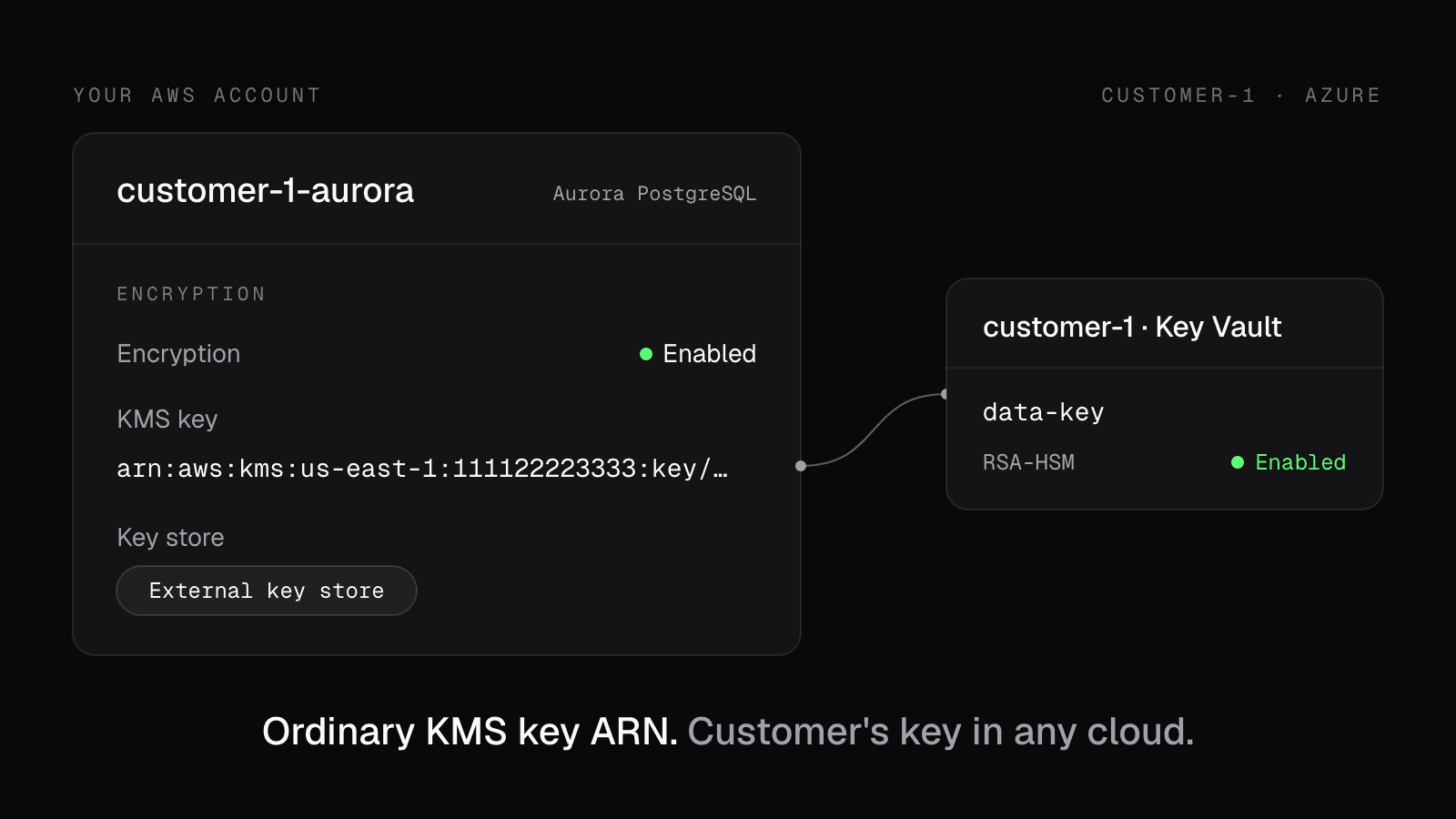
You can now add BYOK (bring your own key) to your product. Each customer holds the key to their data in their own AWS KMS, Google Cloud KMS, or Azure Key Vault, and can revoke it at any time.
If they disable the key, their data in your storage stays ciphertext, unreadable to you and to anyone holding a leaked database password or a copied snapshot.
Encrypt/Decrypt API
For values your app stores and reads back by ID, such as message bodies,
documents, or tokens, call encryption.alien.dev with the customer's ID. Alien
caches each customer's encryption root for 5 minutes, so a request doesn't wait
on the customer's cloud. This works with a shared database.
AWS Virtual Keys
To put a whole database on the customer's key, give each customer their own database and point it at an AWS Virtual Key: an ordinary KMS key in your AWS account, backed by the customer's key. Aurora, S3, DynamoDB, and EBS work unchanged:
module "customer_key" {
  source  = "pkg.alien.dev/alien/virtual-key/aws"
  version = "0.1.0"

  deployment_id = "dep_0c29fq4a2yjb7kx3smwdgxlc" # customer-1's key
  alias         = "customer-1-documents"
}

resource "aws_rds_cluster" "main" {
  engine            = "aurora-postgresql"
  storage_encrypted = true
  kms_key_id        = module.customer_key.kms_key_arn
}
The customer's key can live in any cloud, so a customer on Azure Key Vault can govern the Aurora database you run for them. AWS sends Alien only encrypted data keys through External Key Store, so plaintext never reaches Alien.
Setup and revocation
The customer connects their key in your branded deployment portal. When they revoke it, the Encrypt/Decrypt API stops working for them within 5 minutes, and an Aurora database on a Virtual Key is stopped. Restoring access makes the data readable again.
Deployments in the customer's own cloud take the key natively: add alien.Key
to alien.ts, and buckets, Postgres, and volumes encrypt with it.
Read why multi-tenant SaaS needs this, and how we built it, or go straight to the docs.