Changelog

What's new in Alien

Infrastructure

Public endpoints

Workers, Containers, and Daemons can now expose named HTTPS endpoints, declared in alien.ts next to the resource they serve.

Alien creates the DNS, TLS, and load balancing inside the customer's cloud. The customer's network decides who can reach each endpoint:

  • Behind the customer's VPN, for dashboards and admin tools their employees use
  • Internal only, for APIs that other services in the environment call
  • On the public internet, for webhook receivers and public APIs
const server = new alien.Container("server")
  .code({ type: "image", image: "ghcr.io/acme/server:v1" })
  .port(8080)
  .publicEndpoint("api", 8080, { protocol: "http", hostLabel: "@" })
  .publicEndpoint("app", 8080, {
    protocol: "http",
    hostLabel: "app",
    wildcardSubdomains: true,
  })
  .permissions("execution")
  .build()

Each deployment gets its own domain, and every endpoint becomes a hostname on it. In the example above, api is served at the domain itself, and app also covers *.app.<domain>, so one declaration handles per-customer subdomains. Your control plane reads the resolved URLs from the manager API instead of constructing them.

TLS works per deployment: every deployment runs in a different cloud account, so there is no shared certificate. Alien issues one for each deployment, imports it into the customer's cloud (ACM on AWS, Certificate Manager on GCP, Key Vault on Azure), and renews it automatically. Customers who manage their own certificates can bring their own domain instead; Alien never sees the private key.

Read the docs →

Alon Gubkin
Alon
Infrastructure

Daemons

Daemons let you run a managed process on every machine in a customer deployment.

Use them for the work that should live on the machine: observability collectors, node agents, and host-level control loops.

const agent = new alien.Daemon("agent")
  .code({ type: "image", image: "ghcr.io/acme/agent:v1" })
  .commandsEnabled(true)
  .permissions("execution")
  .build()

You define the daemon in alien.ts and ship it with the rest of your stack. Alien handles placement, release rollouts, rollback, health, logs, deployment inputs, linked resources, and remote commands.

Daemons are private by default, can expose HTTP endpoints when they need a public surface, and can receive remote commands so your control plane can invoke named work inside the customer's environment without opening inbound ports.

Read the docs →

Yonatan ShkolnikItamar Zand
Yonatan & Itamar
Open source

Postgres

Alien now provisions a managed Postgres database directly in your customer's cloud. Declare it once in alien.ts, and Alien creates and operates it on AWS, GCP, and Azure.

const db = new alien.Postgres("orders")
  .version("17")
  .cpu("2")
  .memory("8Gi")
  .build()

The connection is injected into your workload, and the password never lands in state, logs, or generated infrastructure. Like every Alien resource, it runs the same locally for development and during alien dev.

  • Private by default, with no public IP on any cloud
  • One declaration, provisioned on AWS, GCP, and Azure (and embedded locally)
  • pgvector out of the box for embeddings, semantic search, and RAG
  • In-place day-2 resize of cpu and memory, with your data kept

Read the docs →

Itamar ZandAlon Gubkin
Itamar & Alon
SDK

Deployment inputs

When your software runs inside your customer's cloud, it needs real values to start: endpoints, connection strings, API keys. Some of them are yours. Some only the customer's admin has.

Deployment inputs let you declare every one of them in alien.ts. Each input says what it is, how it's validated, and who provides it.

const inputs = alien.inputs({
  databaseUrl: alien.string({
    providedBy: "deployer",
    required: true,
    label: "Database URL",
    description: "Postgres connection string inside the customer's network.",
    pattern: "^postgres://",
    env: "DATABASE_URL",
  }),
  controlPlaneApiKey: alien.secret({
    providedBy: "developer",
    required: true,
    label: "Control plane API key",
    description: "Authorizes this deployment with your control plane.",
    env: "CONTROL_PLANE_API_KEY",
  }),
})

The important part is providedBy, which decides who gets asked:

  • developer values are collected on your side, and the customer never sees them.
  • deployer values are asked of the customer's admin at install time, because they're specific to their own environment.

From that one declaration, Alien validates each value and collects it everywhere setup happens: the dashboard, deployment portal, CLI, CloudFormation, Terraform, and Helm. Types cover strings, secrets, numbers, integers, booleans, enums, and lists, and secrets stay masked, encrypted at rest, and out of generated IaC and logs.

Read the docs →

Alon GubkinYonatan Shkolnik
Alon & Yonatan
CLI

Remote debugging

Debug remotely with the new alien debug command. It opens a secure channel into your customer's cloud and lets you run the CLIs you already use against it, so a remote environment behaves like another region in your own.

  • Secure channel into your customer's cloud
  • No open ports or inbound networking
  • Works with aws, gcloud, az, and kubectl
  • Least-privilege management permissions only
  • Optional approvals from the customer's admins

Read the docs →

Itamar ZandAlon Gubkin
Itamar & Alon
Observability

Live log viewer

Alien now collects logs from all your remote BYOC deployments into an object storage bucket you own. Stream them live and search history from the dashboard, the same across AWS, GCP, Azure, and Kubernetes.

The hardest part of BYOC usually isn't the deployment. It's everything after it.

Observability docs →

Yonatan ShkolnikItamar ZandAlon Gubkin
Yonatan +2
Platform

Introducing the Alien Platform

Today we're launching the Alien Platform: deploy your software into your customers' clouds and operate it from one place, with updates, monitoring, and remote debugging.

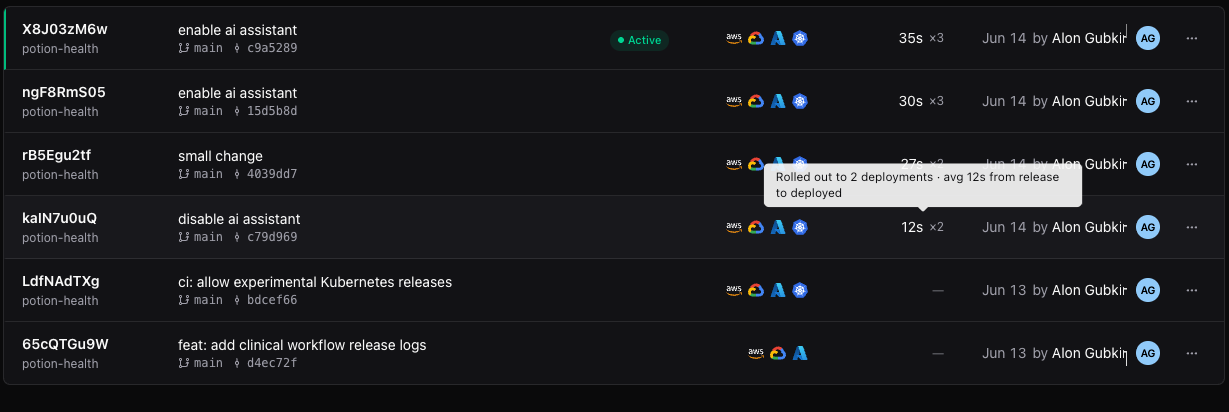
You define what runs in a customer's environment once. Alien generates white-labeled deployment options (CloudFormation, Login with Google, Terraform, Helm, bring-your-own Kubernetes, airgapped), installable through a deployment portal on your own domain. Updates roll out to every deployment automatically across AWS, GCP, Azure, and on-prem.

We also raised a $5M seed from Basis Set, Jibe, and angels at OpenAI, Google, and Databricks.

Read the docs →

Alon Gubkin
Alon
Open source

Introducing Alien

We're happy to announce the first version of Alien, an open-source platform for deploying your software into your customers' own environments and keeping it fully managed. Still very early.

The software runs in the customer's environment, so their data stays private, but you keep operating it: deployments, updates, monitoring, and debugging stay centralized. Targets AWS, GCP, and Azure.

Alon Gubkin
Alon