
A kill switch for your customers' data
 Alon Gubkin
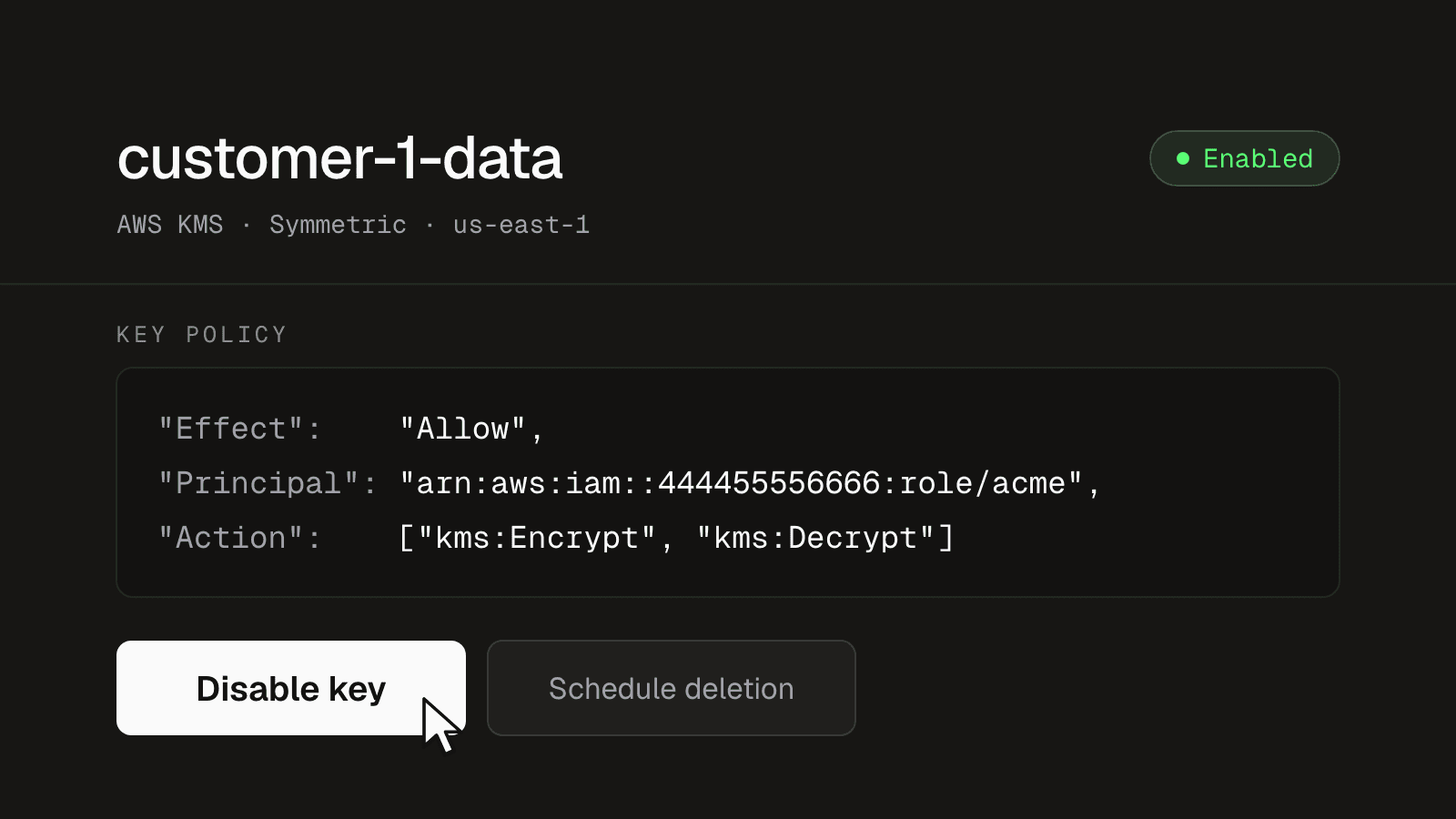
Multi-tenant SaaS is a security nightmare.
It's also the reason SaaS is cheap. Salesforce popularized the model around 1999: every customer shares one application and one database, with a customer ID on every row. One deploy upgrades everyone, and one database serves thousands of companies.
For a consumer app, the trade is usually worth it. In B2B, every tenant is a company, and its rows are board minutes, patient notes, contracts, and source code. All of it lands in the same tables, on the same disks, in the same backups, behind the same credentials.
Inside the database, a WHERE tenant_id = ? clause is the only thing keeping one company's rows away from another's. Anything that gets past the application reaches every customer at once:
- an engineer with production access
- a leaked database password
- a copied snapshot
- a compromised integration
Two incidents in the last two weeks show how this plays out. On October 21, Railway disclosed that an attacker may have accessed customers' encrypted environment variables and, for some of them, obtained the decrypted values.
The same day, Microsoft said that attackers who got into ConnectWise's Cloud Backup app tried to sign in to more than 2,250 of its customers' Microsoft 365 tenants. In both cases, one vendor held what it took to reach many customers' data.
Encrypted, but with whose key?
The standard answer is that the data is encrypted at rest. It is, but with a key the vendor holds.
AWS launched KMS in 2014 for a company encrypting its own data, in its own account, with its own key. Most AWS services learned to take a KMS key ARN, and encryption at rest became a checkbox. It does its job, which is making a stolen disk useless.
A multi-tenant product checks the same box, but now the data belongs to hundreds of companies and the key belongs to one: you. Decryption is automatic, so anything that can query the database, or restore a snapshot in your account, gets plaintext.
Encryption at rest protects stolen disks. It doesn't separate your customers from each other, or from you.
A key per customer
The alternative is to encrypt each customer's data with a different key, held by that customer in their own AWS KMS, Google Cloud KMS, or Azure Key Vault. Your product uses the key to read and write their data, and the customer can take it back at any time.
This is called customer-managed keys, or BYOK (bring your own key). Step through what it changes:
A shared multi-tenant table with rows from three customers. With one shared key, the tenant filter is the only thing keeping other customers' rows out of a result, and a query missing it returns every customer's data readable. With a key per customer, held by the customer, the same query returns other customers' rows, but they fail to decrypt as long as every decrypt call uses the signed-in customer's key. A customer who revokes their key makes only their own rows unreadable.
One table for everyone. Every customer's rows sit side by side, encrypted at rest with one key that belongs to you. The only thing keeping them apart is WHERE tenant_id.
Customers are now separated by cryptography, not only by a WHERE clause:
- A leak returns ciphertext. A leaked database password or a copied snapshot gets the encrypted fields as ciphertext, because the keys aren't in your account.
- The customer sees every use. On AWS, each call your product makes to their key shows up in their CloudTrail. On Google Cloud and Azure, it shows up once they turn on key access logging.
- The customer can pull the plug. If something goes wrong, they disable the key without calling you, and their data becomes unreadable to everyone, including you.
The missing-filter case only holds if your app decrypts with the signed-in customer's key, taken from the request, never from the row it read.
BYOK has limits too. An attacker who logs in through your product as a real user still sees what that user sees. One who controls your running app can decrypt until the key is revoked. What changes is that the data and the keys no longer sit behind the same credentials.
What's hard about it
The basic design is two API calls. Your app encrypts each value with the customer's key before storing it, and decrypts it when reading it back:
Four steps. Today: an email from a user at your customer is stored in your Postgres, readable to anyone who can reach the database. Encrypt: your app encrypts it with the customer's key in their cloud and stores ciphertext. Decrypt: every read calls the customer's key, about 65 ms. Revoke: the customer disables your access, the stored rows can't be decrypted, and the user's email can't load.
Today. A user at your customer sends an email, and your app stores it in Postgres. The disk is encrypted with your key, so anyone who can reach the database can read the row.
Latency
In that design, every read is a network call into the customer's cloud. The first call for a customer assumes an IAM role in their account and opens a TLS connection to their KMS. After that, each call still crosses to whatever region their key lives in.
A page that lists fifty encrypted emails needs fifty decrypts. Move the sliders, then press Play to compare calling KMS on every read with caching each customer's data key in memory:
Simulation with illustrative numbers. Decrypting 50 rows, 4 at a time. Calling the customer's KMS for every row takes 65 ms per call (a 55 ms cross-region round trip plus 10 ms for the decrypt), and the first round also pays 230 ms to assume a role in their account and open a new TLS connection: 1.07 s in total. Caching the data key in memory pays for one KMS call, including the first-call cost, and then decrypts every row locally in about 0.2 ms: 298 ms in total.
About a second for one page works for a settings screen. It doesn't work for an inbox, a search result, or a background job that reads a million rows.
Throughput is the other limit. KMS throttles the account that makes the call, so every customer's decrypts share your account's quota. And every read now depends on the customer's KMS being up.
Envelope encryption and the cache
The standard fix is envelope encryption. You get a data key from the customer's KMS once, encrypt many records locally with AES-GCM, and store the wrapped data key next to them. Most writes then skip KMS.
To skip KMS on reads too, you keep unwrapped data keys in memory, and the cache lifetime becomes a security decision. A cached key keeps working after the customer revokes it:
Timeline over two hours. Your app caches the customer's unwrapped key for 5 min and fetches it again at every refresh, 12 times an hour. The customer revokes access at 20 minutes. Reads keep succeeding from the cache until the next refresh, at 25 min, which fails: 5 min of reads after the revoke. A shorter cache closes that window sooner and costs more calls to the customer's KMS.
A long cache is fast and cheap, but a revoked customer stays readable until it expires. A short cache keeps that window small and sends more traffic to every customer's KMS. You pick a lifetime, tell customers what it is, and make sure every server enforces it.
The cache isn't the only detail:
- Bind each ciphertext to its customer. Pass the customer ID as associated data to AES-GCM, so a row copied into another customer's table fails to decrypt.
- Plan for rotation. KMS ciphertexts record which key version wrapped them, so old rows keep reading after the customer rotates, as long as old versions aren't destroyed.
Every cloud
Your customers' keys live in AWS KMS, Google Cloud KMS, and Azure Key Vault. Each has its own API, its own permission model, and its own ways to fail. The grant your product needs looks different on each:
- AWS: an IAM role your product can assume, and a key policy that lets it call
kms:Encryptandkms:Decrypt. - Google Cloud: your service account with
roles/cloudkms.cryptoKeyEncrypterDecrypteron the key. - Azure: your app's identity with the Key Vault Crypto User role on the key.
The customer's admin sets this up, usually without you on the call. The setup has to work without help on all three clouds, with a check at the end that proves it worked.
Databases
Encrypting values in your app works for things you store and read back by ID: message bodies, documents, tokens. It doesn't work for columns you filter, sort, or join on, so those stay plaintext. And the database copies every row to places your app never sees:
One row written to Postgres reaches the table, the index on subject, the write-ahead log, the nightly snapshot, and the read replica. Encrypting the body column leaves the subject plaintext in every one of them, on storage encrypted with your key, so a SELECT with a leaked database password reads it. A dedicated database on the customer's key encrypts every one of them with their key, and queries on subject keep working; a leaked password still reads rows while the key is active.
Covering all of it means encrypting the database itself with the customer's key. AWS encrypts Aurora, S3, DynamoDB, and EBS with KMS below the query layer, so indexes and joins keep working.
Storage encryption protects disks, snapshots, and replicas, and it lets the customer revoke. It doesn't stop someone who can log in to the database while the key is active.
A database also has one key. A shared database can't be on every customer's key at once, so this only works when each customer has their own database. That's a single-tenant deployment: a dedicated copy of the part of your product that holds the data, still in your cloud. It also isolates customers from each other's load.
Here's how the three approaches compare:
| Threat | Encryption at rest | BYOK in your app | Dedicated database on their key |
|---|---|---|---|
| Stolen disk or backup file | Protected | Protected | Protected |
| Copied snapshot, restored in your account | Readable | Encrypted fields protected | Readable until the customer revokes |
| Leaked database password | Readable | Encrypted fields protected | Readable until the customer revokes |
| Query missing its tenant filter | Every customer leaks | Protected, if decrypt uses the request's customer | One customer per database |
| Attacker running code in your app | Readable | Readable until the customer revokes | Readable until the customer revokes |
| Customer wants out | Ask the vendor | Disable the key | Disable the key |
Aurora can use a KMS key in the customer's AWS account if their key policy allows it, in the same region. That doesn't help customers whose key is in Google Cloud KMS or Azure Key Vault: Aurora has nothing it can call.
AWS added a way around that in 2022: External Key Store (XKS). A KMS key in your account can be backed by key material outside AWS, served by an XKS proxy that you run. AWS built it for regulated companies that need their keys outside AWS data centers. A proxy can also ask the customer's key, wherever it lives, before it answers.
An XKS proxy sits in the path of every request for a data key. AWS recommends 35 ms or less of round-trip time to it, gives up at 250 ms, and caps each external key store at 1,800 requests per second. One of the AWS product managers behind XKS, quoted in the launch post, called running one "your own tunnel to oxygen through a very fragile path."
Revocation as a product state
A revoked key is something your product has to handle on purpose. Background jobs, search indexing, exports, and webhooks start failing for that customer.
Your app has to show a clear state for that one customer, alert your team, and keep working for everyone else. This path rarely runs, so it needs its own tests.
Customer-managed keys in Alien
Today, customer-managed keys is generally available on Alien. Alien runs the setup flow for every cloud, the encryption service and its cache, and the XKS endpoint. You add BYOK to your product, and your customers hold the key.
It works with the database you have today:
- Shared database: encrypt sensitive values with the Encrypt/Decrypt API.
- A database per customer: put it on the customer's key with an AWS Virtual Key. Alien can also deploy and update the single-tenant copies.
Encrypt/Decrypt API
For values your app stores and reads back by ID, such as message bodies, attachments, or credentials, call the Encrypt/Decrypt API with the customer's ID:
const res = await fetch("https://encryption.alien.dev/v1/encrypt", {
  method: "POST",
  headers: {
    Authorization: `Bearer ${process.env.ALIEN_ENCRYPTION_API_KEY}`,
    "X-Alien-External-ID": customer.id, // whose key protects the value
    "Content-Type": "application/json",
  },
  body: JSON.stringify({
    key: { keyId: "customer-data" },
    plaintext: Buffer.from(value).toString("base64"),
  }),
})
const { ciphertext } = await res.json()
Alien loads each customer's encryption root through their key service and keeps it in memory for 5 minutes. Encrypt and decrypt run inside Alien with AES-256-GCM, so a request takes about 4 ms instead of a trip to the customer's cloud. Decryption fails if the project, the customer, or the keyId differs from the one used to encrypt.
On this path, values pass through Alien in plaintext, and Alien holds each customer's root for up to 5 minutes. That's the trade for fast decrypts and no key code in your app. Data and keys lists what Alien receives on each path. If you can't make that trade, use AWS Virtual Keys, where Alien never sees plaintext.
AWS Virtual Keys
An AWS Virtual Key is an ordinary KMS key in your AWS account. Alien serves its key material over XKS, protected by the key the customer connected. Create one with Terraform, then point any resource that takes a KMS key at its ARN:
module "customer_key" {
  source  = "pkg.alien.dev/alien/virtual-key/aws"
  version = "0.1.0"

  deployment_id = "dep_0c29fq4a2yjb7kx3smwdgxlc" # customer-1's key
  alias         = "customer-1-documents"
}

resource "aws_rds_cluster" "main" {
  engine            = "aurora-postgresql"
  storage_encrypted = true
  kms_key_id        = module.customer_key.kms_key_arn
}
Aurora gets its data key through Alien, and the customer's key decides whether Alien can answer:
Three steps. Start: Aurora asks AWS KMS for its data key; the KMS key is backed by Alien over XKS, which unwraps the already-encrypted data key with the customer's key in their own cloud. Queries: Aurora keeps the data key in memory and makes no calls. Revoke: the customer disables their key, Alien refuses the next request for it, and AWS stops the database and marks it inaccessible. It stays recoverable for 7 days if the customer turns the key back on.
The database starts. Aurora asks AWS KMS for its data key. The KMS key is backed by Alien over XKS, so KMS sends the data key, still encrypted by AWS, to Alien. Alien can answer only while the customer's key allows it.
- The customer's key can live in any cloud. A customer on Azure Key Vault can govern the Aurora database you run for them in AWS.
- Plaintext never reaches Alien. AWS encrypts the data key before it sends it over XKS, so Alien only handles ciphertext. Neither AWS nor Alien can decrypt stored data alone.
- Queries don't call the customer's key. Aurora fetches its data key and keeps it in memory, so reads and writes run at normal speed.
Setup and revocation
The customer's admin connects their key in your branded deployment portal. They run a CloudFormation stack or Terraform module that grants encrypt and decrypt on one key. Your team never handles the key, and Alien never receives the raw key material.
When the customer revokes the key, the Encrypt/Decrypt API stops working for them within 5 minutes, and your app gets KEY_UNAVAILABLE for that customer only. An Aurora database on a Virtual Key is stopped and marked inaccessible. Restoring access makes the data readable again; for Aurora, that works within 7 days.
Get started
The quickstart connects a test key as your own customer, encrypts a value, disables the key, and shows decryption fail. Then read Customer-managed keys to add it to your product, or AWS Virtual Keys to put your databases on your customers' keys.